Print ready files
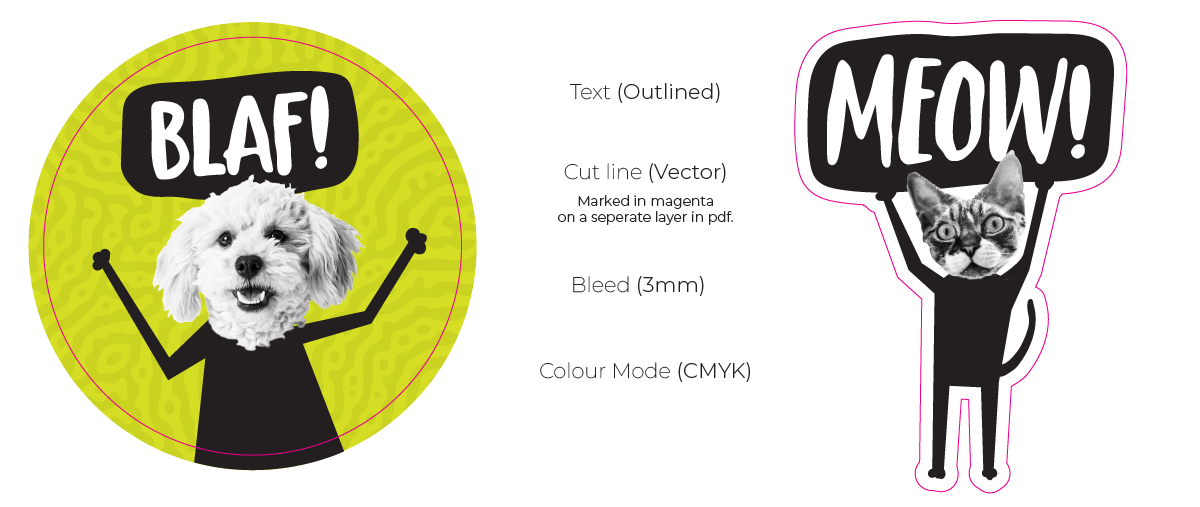
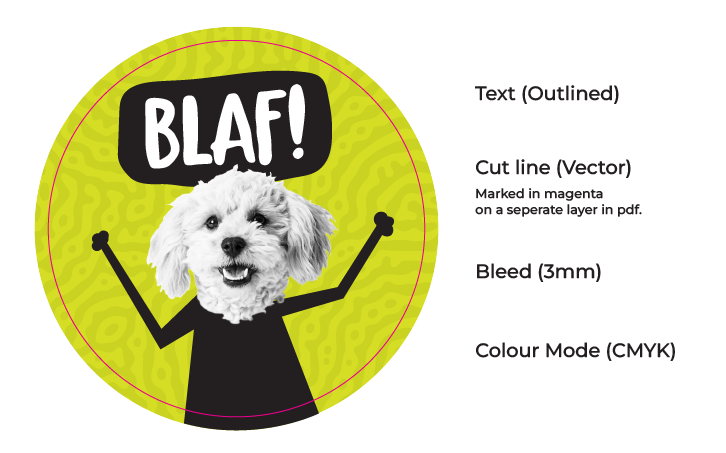
When we refer to “print-ready files,” we mean that the artwork or design you submit is properly prepared and formatted for high-quality printing. This includes ensuring that your file meets specific requirements such as the correct dimensions, resolution (300 DPI for sharp, clear prints), color mode (CMYK for accurate color reproduction), and appropriate bleed of at least 3mm (extra space around the edges of your design to avoid cutoff).
Additionally, we recommend submitting files in formats like PDF, AI, or EPS (Please ensure your text is outlined or curved) to ensure compatibility with our printing systems. A print-ready file ensures a smoother, faster production process and helps us deliver the best possible results with no delays. If you’re unsure whether your file is print-ready, we’re happy to assist with any adjustments needed before printing.
What is a Cut File?
A cut file is a special type of file used in printing for creating custom shapes or contours for products like stickers, labels, and other printed materials that require a specific, non-rectangular shape. The cut file outlines the exact path that the printer or cutting machine will follow to cut out your design.
Cut files are vector-based and are created using programs like Adobe Illustrator or CorelDRAW. They contain a separate layer that defines the precise edges where the machine will cut. For example, if you want a custom-shaped sticker in the form of a logo or any other unique shape, the cut file will ensure that the sticker is cut to match that shape, rather than a simple square or rectangle around it. It’s important to ensure your cut file is set up correctly with clear paths and no overlapping elements so that the cutting process is accurate and precise.
Example of print ready files with cut lines.